Troubleshooting
The LIOBOX² does not switch on
- Check the wiring.
- Use the cable provided.
The green check icon does not appear
- Check that the DAW has been started and configured (and the GoorooLink too, if using Pro Tools, Logic Pro, Cubase or QLab).
- Check that the correct script is loaded on port #1 of the LIOBOX² in the MIDI input and output section.
- If using a hub or a MIDI card, check the wiring to the computer.
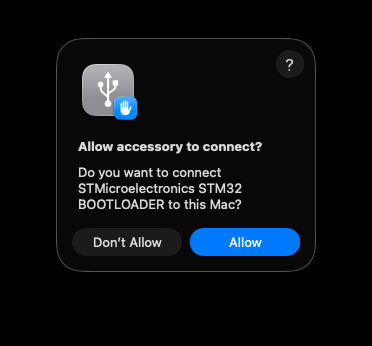
- (macOS) Check that the LIOBOX² is "allowed" as a USB peripheral (popup when connecting for the first time). If you accidentally clicked Don't Allow, check macOS System Settings → Privacy & Security → Accessories and use the proper settings. See also LIOBOX² not detected.
Song name not displayed
Check that:
- A name has been entered.
- The naming convention has been followed.
- The name is not masked by the prefix
().
No name is displayed even though the LIOBOX² is connected
- You have exceeded the 120-song limit currently managed by the LIOBOX².
A "caution" symbol appears at the top of the screen
Check that:
- Both sessions (Main / Spare) have the same song names, in the same order.
- Both computers are in the same mode (arrangement or session).
The song name in the setlist is displayed in red
- The song has been deleted from the DAW session.
- The song name or info is not correct.