QLab
Setup
The LIOBOX² communicates with QLab using the GoorooLink, which transforms MIDI to the OSC protocol.
To enable this communication, ensure the option is enabled in the QLab settings:
File → Workspace Settings → Network → OSC Access
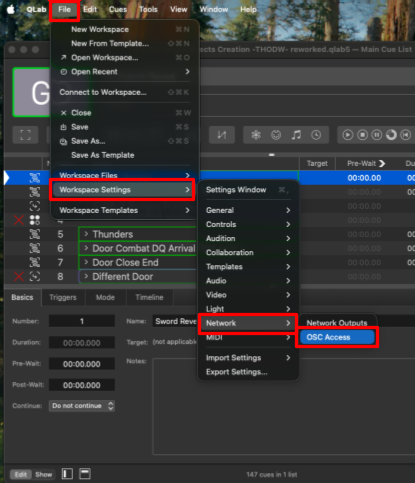
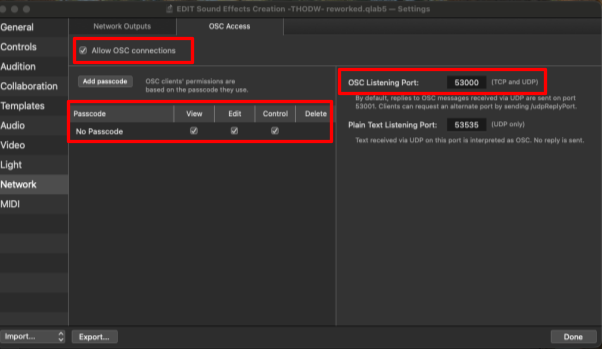
Allow OSC connections, use the "No Passcode" access with View, Edit and Control rights, and keep the default OSC listening port (53000).
See QLab mode for what the LIOBOX² displays and controls, and the GoorooLink QLab properties to choose the information shown.