Pro Tools
Setup
The LIOBOX² native support for Pro Tools is made possible through the use of the GoorooLink software. Refer to the GoorooLink BRIDGE documentation for more information.
This section covers the Pro Tools software configuration. Make sure the Gooroo Bridge is selected for Pro Tools in the GoorooLink.
-
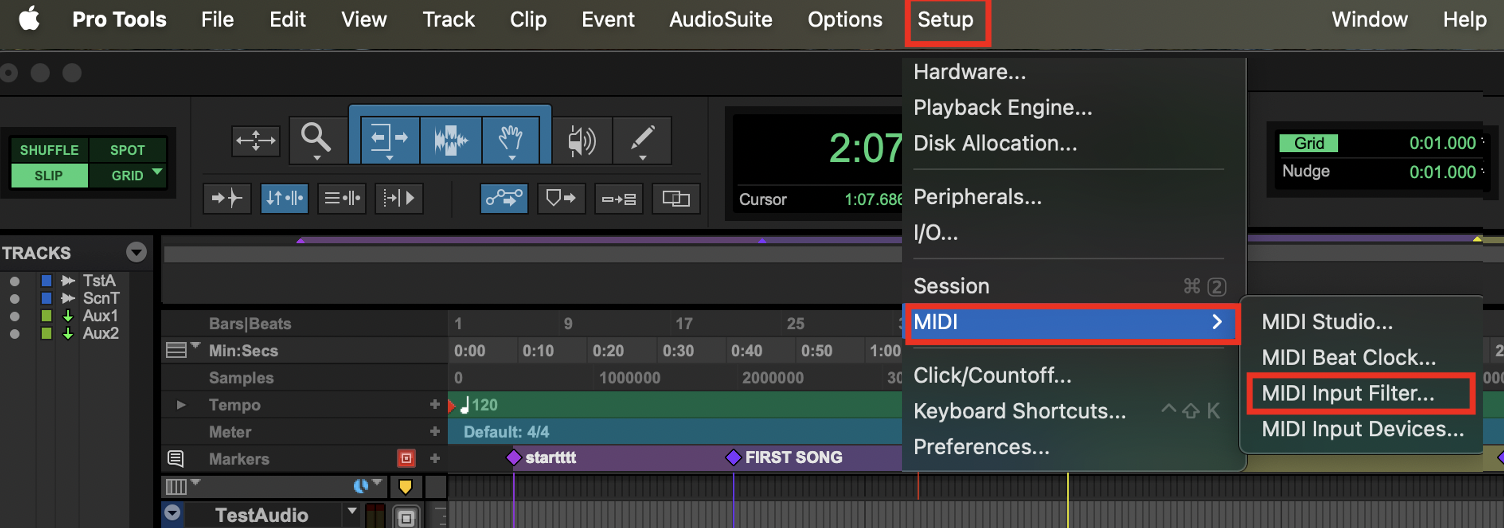
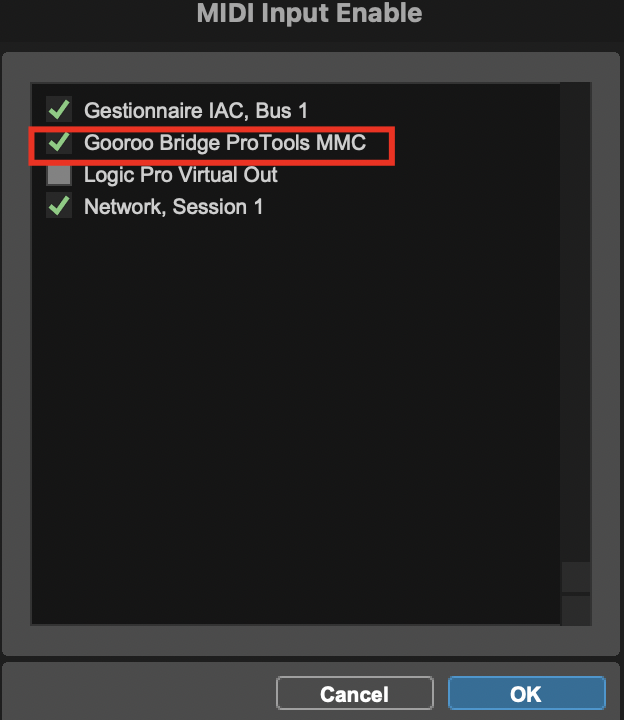
Enable the Gooroo Bridge ProTools MMC MIDI input in Setup → MIDI → MIDI Input Filter…
-
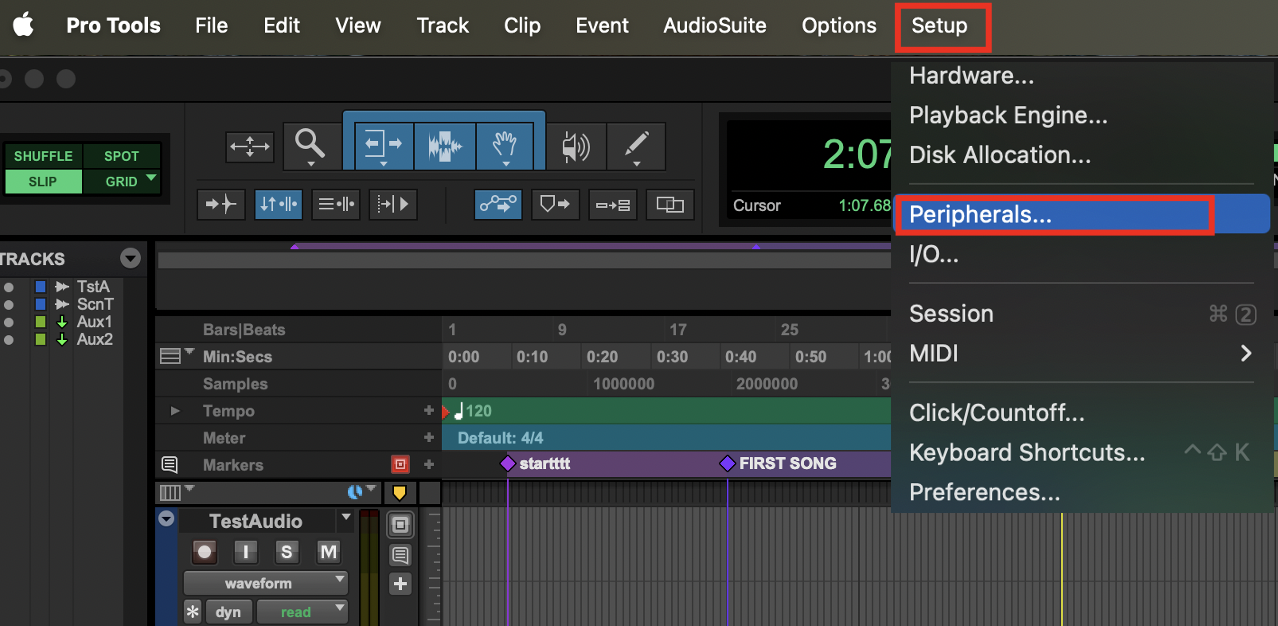
In Setup → Peripherals… → Synchronization, associate the MTC Generator Port to Gooroo Bridge ProTools MTC.

-
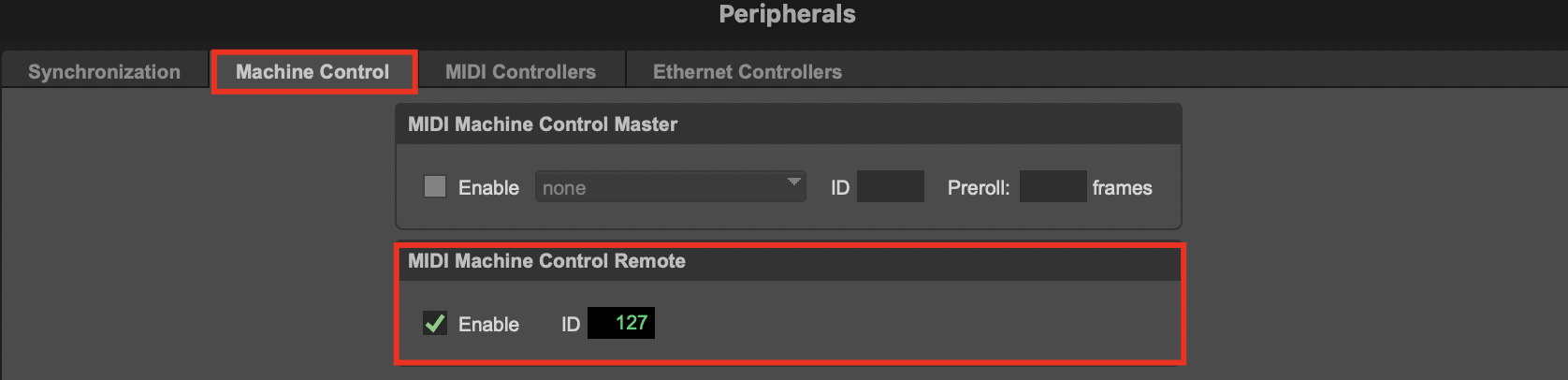
In Peripherals… → Machine Control, enable MIDI Machine Control Remote and set the ID to 127.
Redundancy in Pro Tools
Redundancy in Pro Tools is achieved using the LIOBOX² as a central coordinator, together with Pro Tools Studio features.
Pro Tools Studio (or higher) is mandatory: the Jam Sync feature is required to enable redundancy.
As Pro Tools sessions can be large, jumping to markers and launching commands requires Pro Tools to load for a significant amount of time (from dozens to hundreds of milliseconds), which makes fire-and-forget commands create out-of-sync sessions.
To address this behavior, both the LIOBOX² and the GoorooLink constantly make sure Pro Tools is ready, and sync commands to launch simultaneously on both computers.
Therefore, the GoorooLink relies heavily on the MTC capabilities, and the following Pro Tools features must be enabled:
-
Sync Point enabled

-
Setup → Session → Session Timecode Settings: Jam Sync
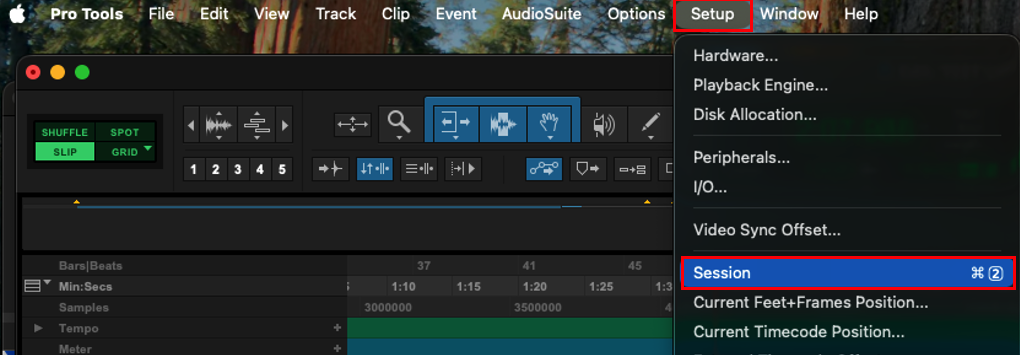
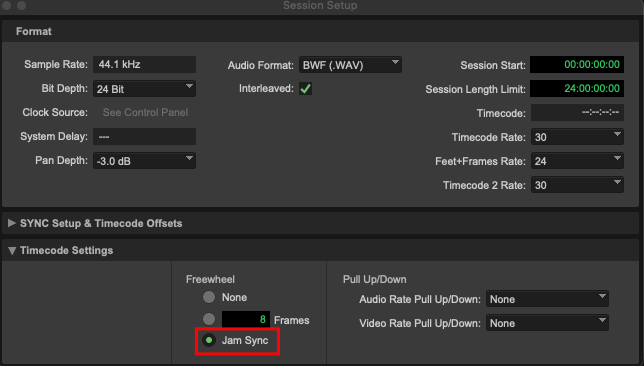
These features are to be activated on the Spare computer. This configuration is optional for the Master computer.
On both the Master and Spare computers, ensure Synchronization → MTC is enabled:
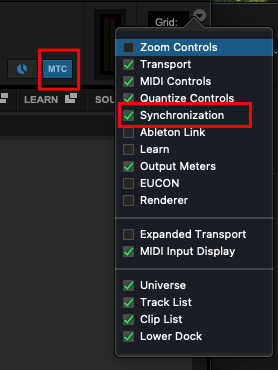
Having constant LIOBOX² MASTER ⇔ PRO TOOLS ⇔ LIOBOX² SPARE synchronization has an impact on how commands are managed:
- Play, Restart, Next, Prev commands
- Master side: slight delay (a few hundred milliseconds) at launch to ensure playhead positioning and that the Spare is ready too.
- Spare side: the playhead catches up approximately 1 second after the Master starts.
- Hitting any of these commands while the Spare catches up results in the command being discarded.
- Pause command
- Deferred while Play, Restart, Next or Prev is launching and the Spare is synchronizing.
- Deactivated commands
- Fast forward and fast rewind commands are discarded if both Master and Spare are connected.