Logic Pro
Setup
The LIOBOX² native support for Logic Pro is made possible through the use of the GoorooLink software. Refer to the GoorooLink BRIDGE documentation for more information, in particular how to retrieve the Logic Pro marker list.
This section covers the Logic Pro software configuration. Make sure the GoorooLink is selected for Logic Pro.
-
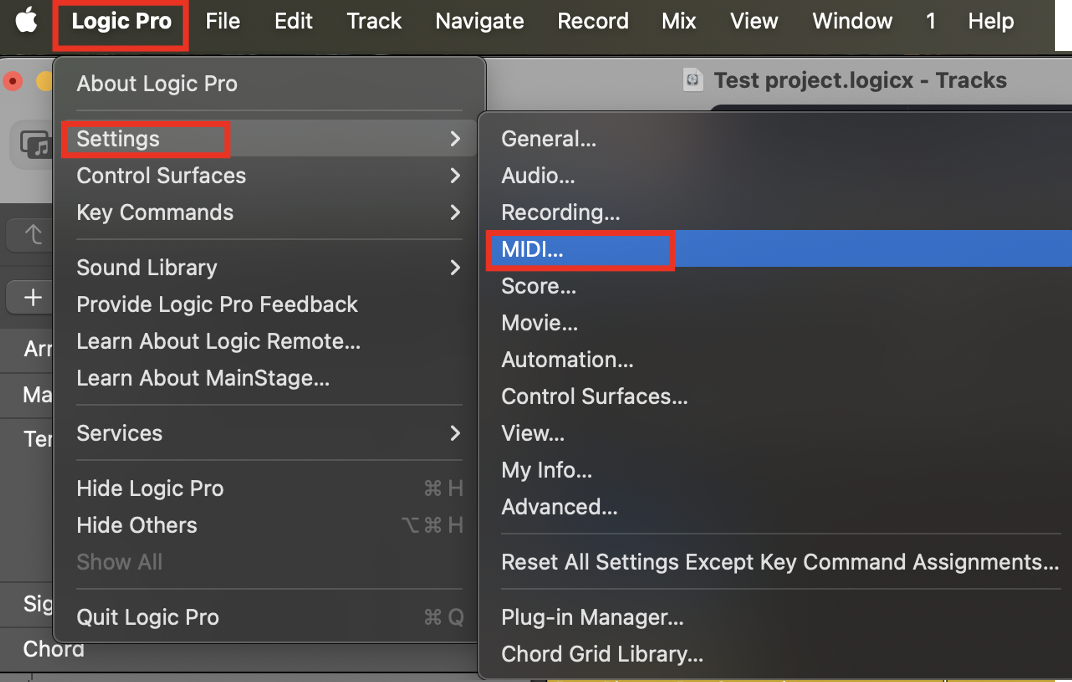
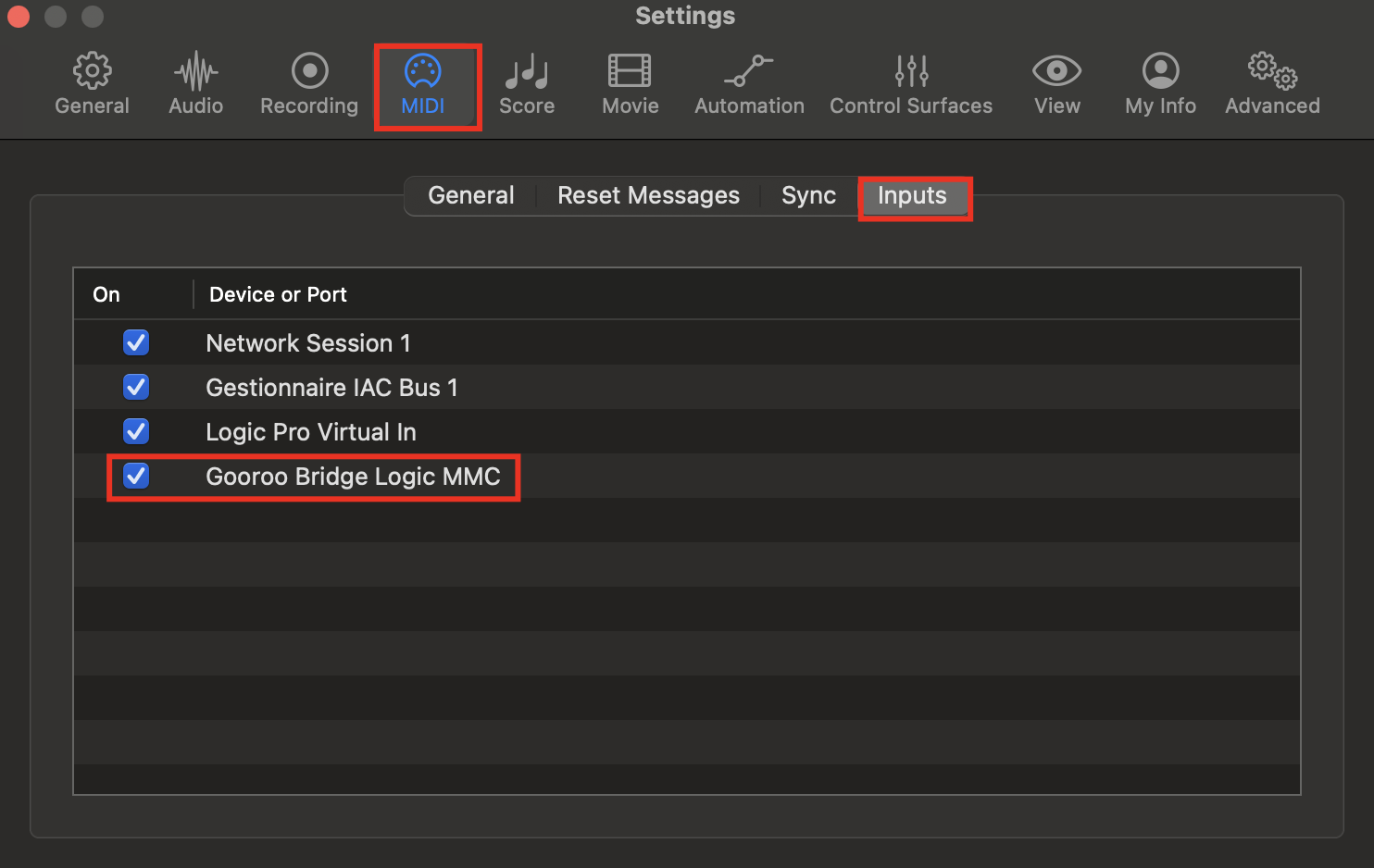
Enable the MIDI input Gooroo Bridge Logic MMC in Logic Pro → Settings → MIDI → Inputs.
-
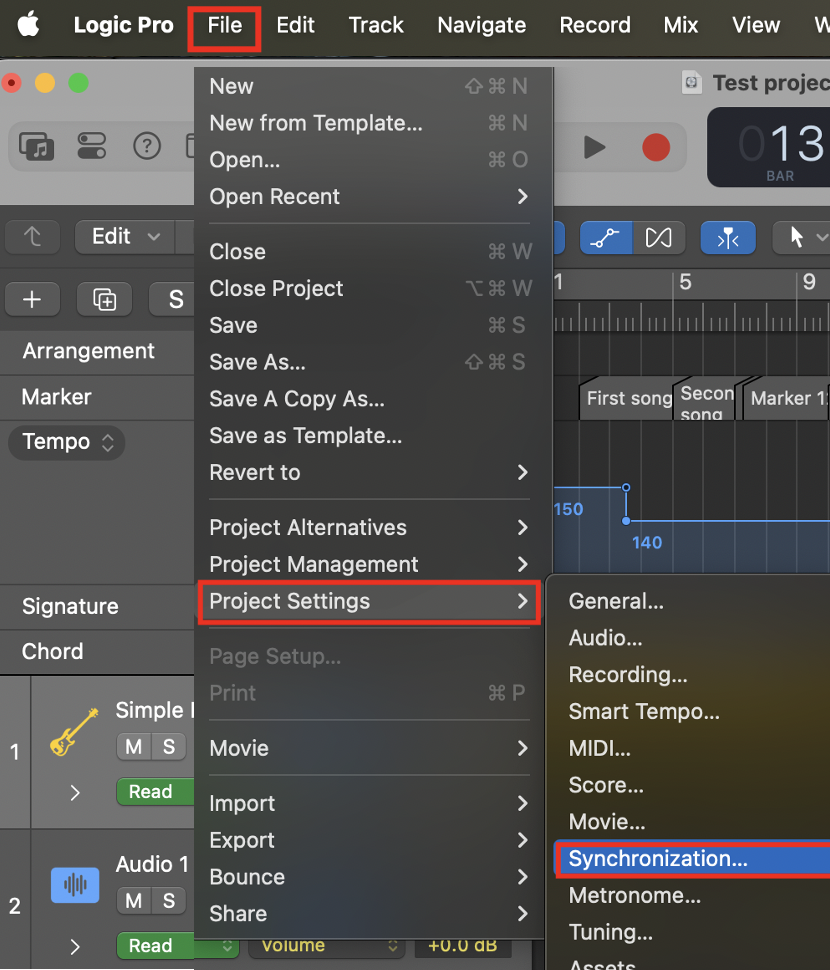
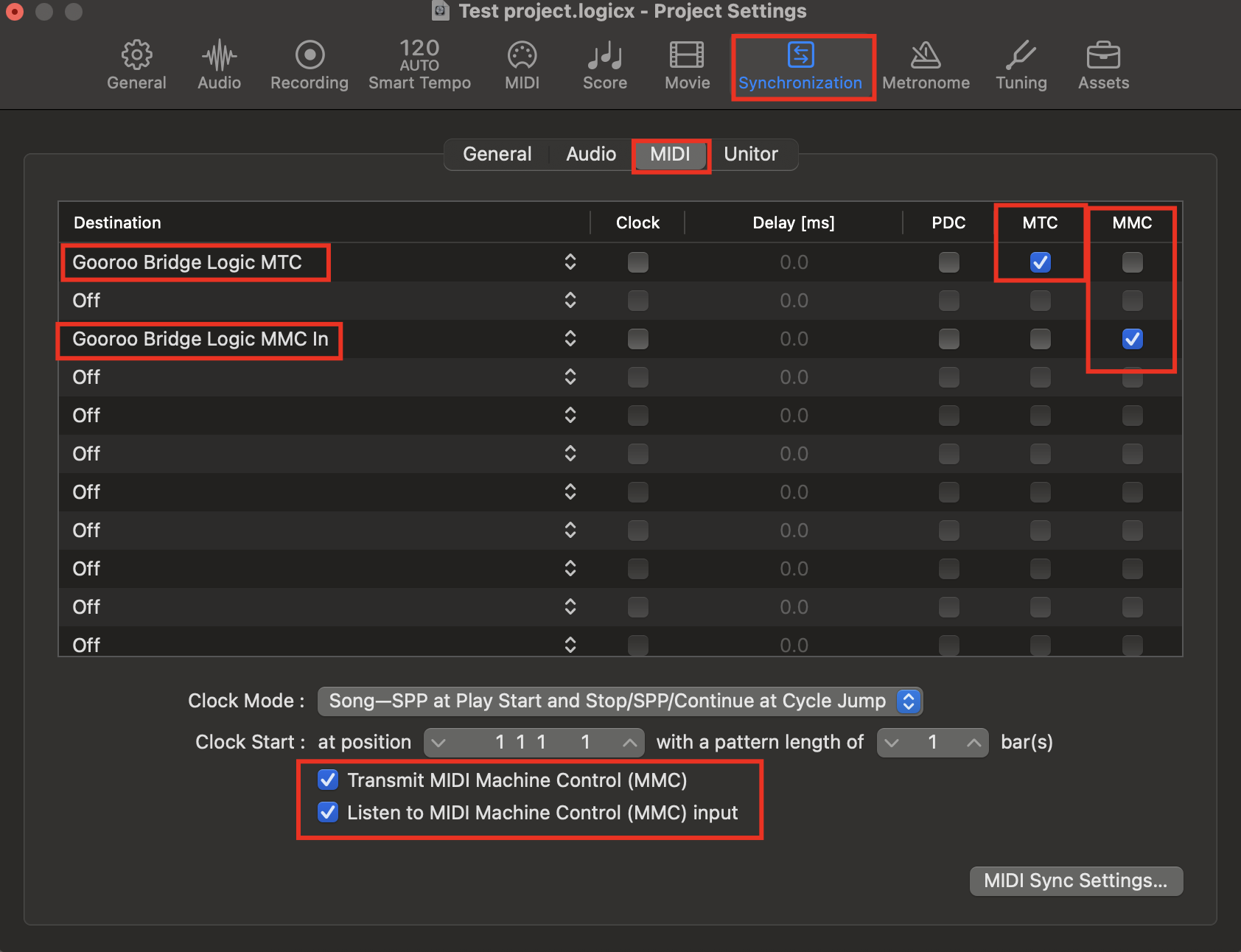
In File → Project Settings → Synchronization → MIDI, activate both MTC and MMC synchronization for:
- Gooroo Bridge Logic MTC → MTC
- Gooroo Bridge Logic MMC In → MMC
-
Enable both Transmit MIDI Machine Control (MMC) and Listen to MIDI Machine Control (MMC) input.
Deactivate Play from Cycle (right-click on the Play button) to avoid having the playhead reset to its original position instead of playing the selected marker. See Logic Pro only.