Cubase
Setup
The LIOBOX² native support for Cubase is made possible through the use of the GoorooLink software. Refer to the GoorooLink BRIDGE documentation for more information, in particular how to retrieve the Cubase marker list.
This section covers the Cubase software configuration. Make sure the GoorooLink is selected for Cubase.
-
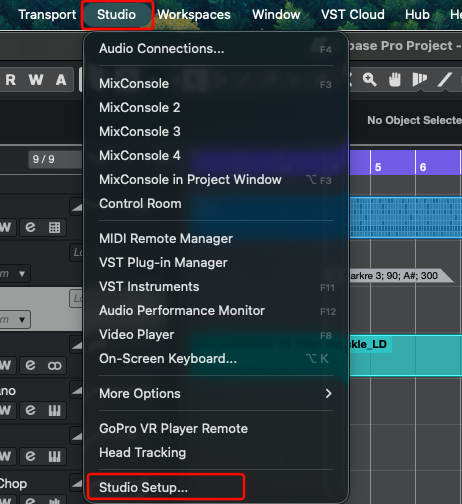
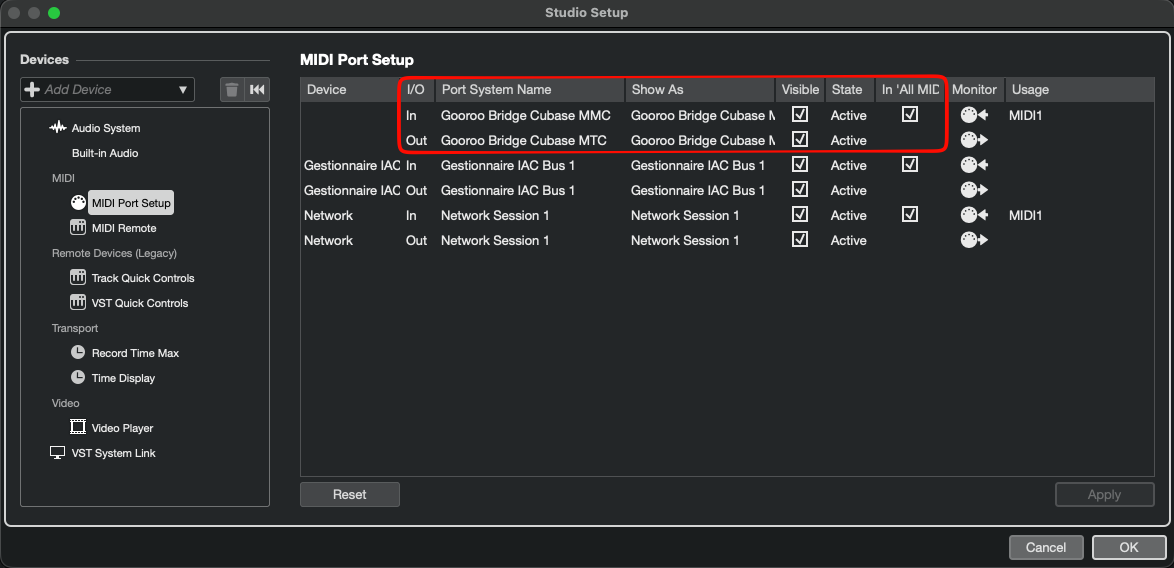
Ensure the GoorooLink Bridge MIDI devices are visible and active in Studio → Studio Setup.
-
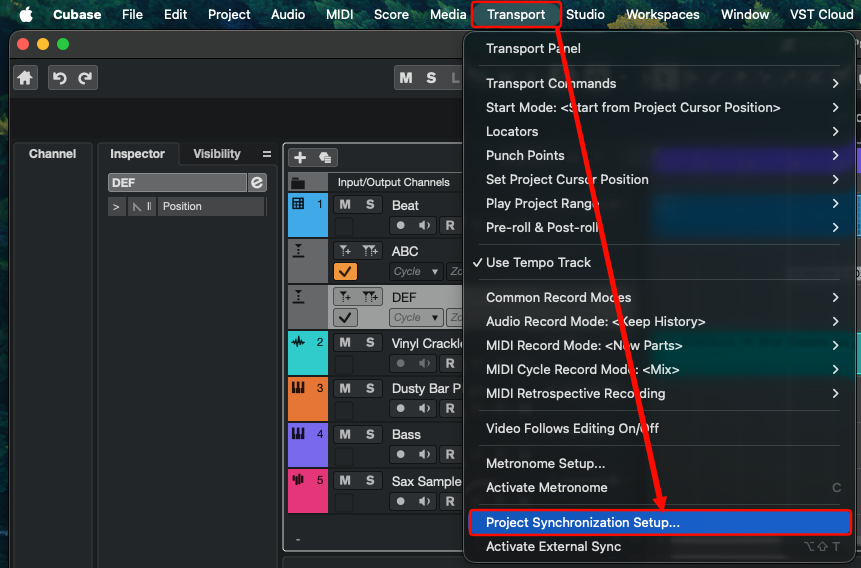
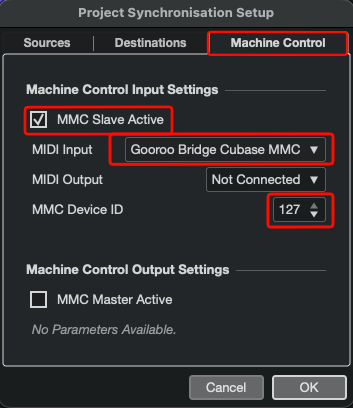
In Transport → Project Synchronization Setup, open the Machine Control tab and configure the MMC input: enable MMC Slave Active, set the MIDI Input to Gooroo Bridge Cubase MMC and the MMC Device ID to 127.
-
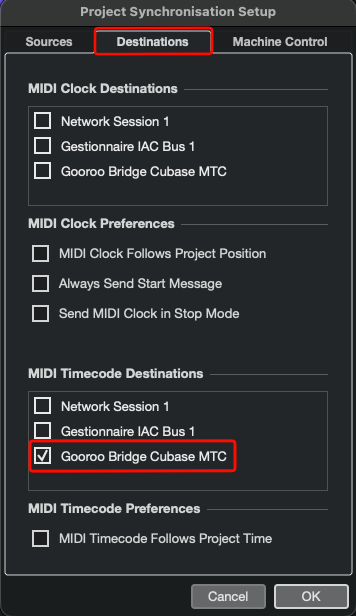
Configure the MTC output: in the Destinations tab, tick Gooroo Bridge Cubase MTC under MIDI Timecode Destinations.
-
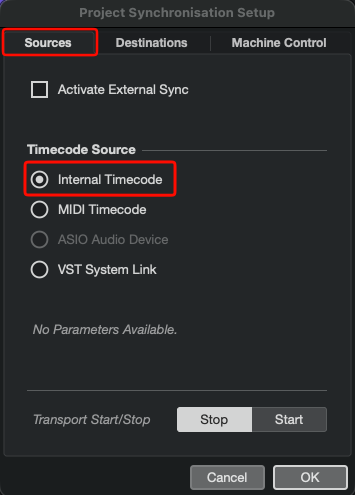
In the Sources tab, set the Timecode Source to Internal Timecode.
Cubase is ready to be used!