Bitwig
Setup
Add the Bitwig extension on macOS
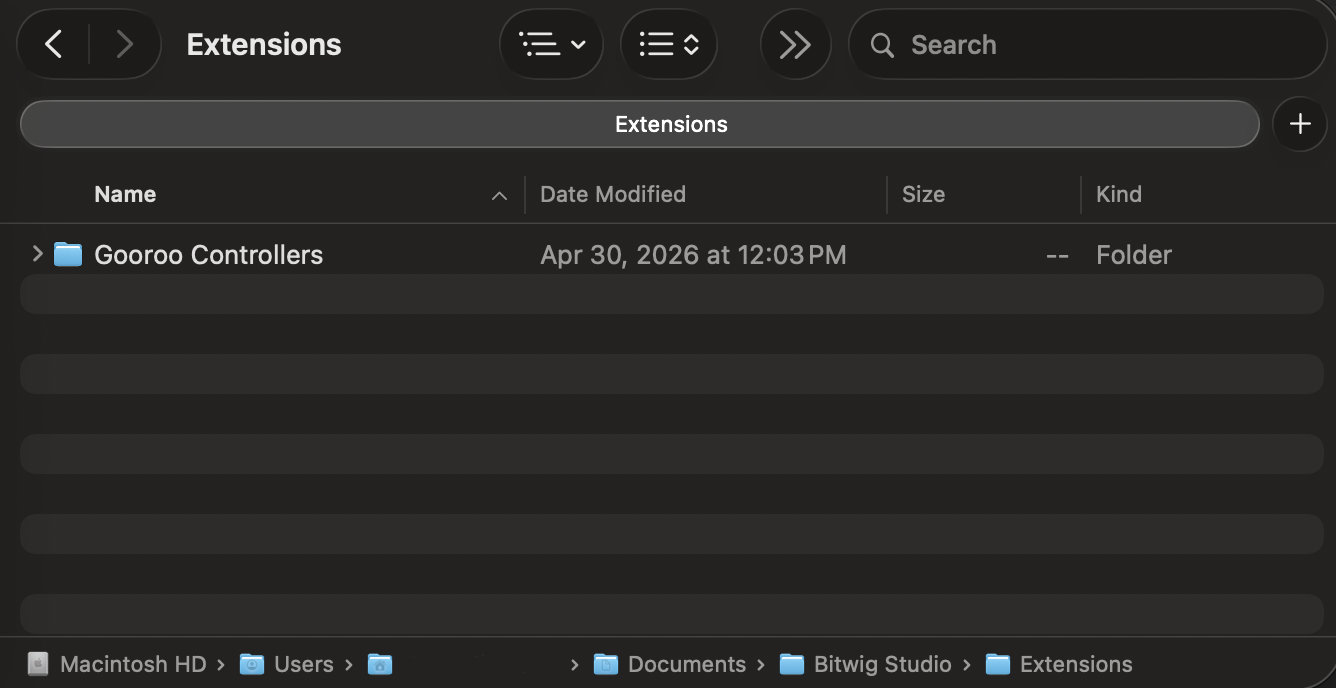
Unzip the folder in /Users/<username>/Documents/Bitwig Studio/Extensions.
Add the Bitwig extension on Windows
Unzip the folder in <username>/Documents/Bitwig Studio/Extensions.

Load the extension in Bitwig
-
Connect the LIOBOX² to the computer and start Bitwig.
-
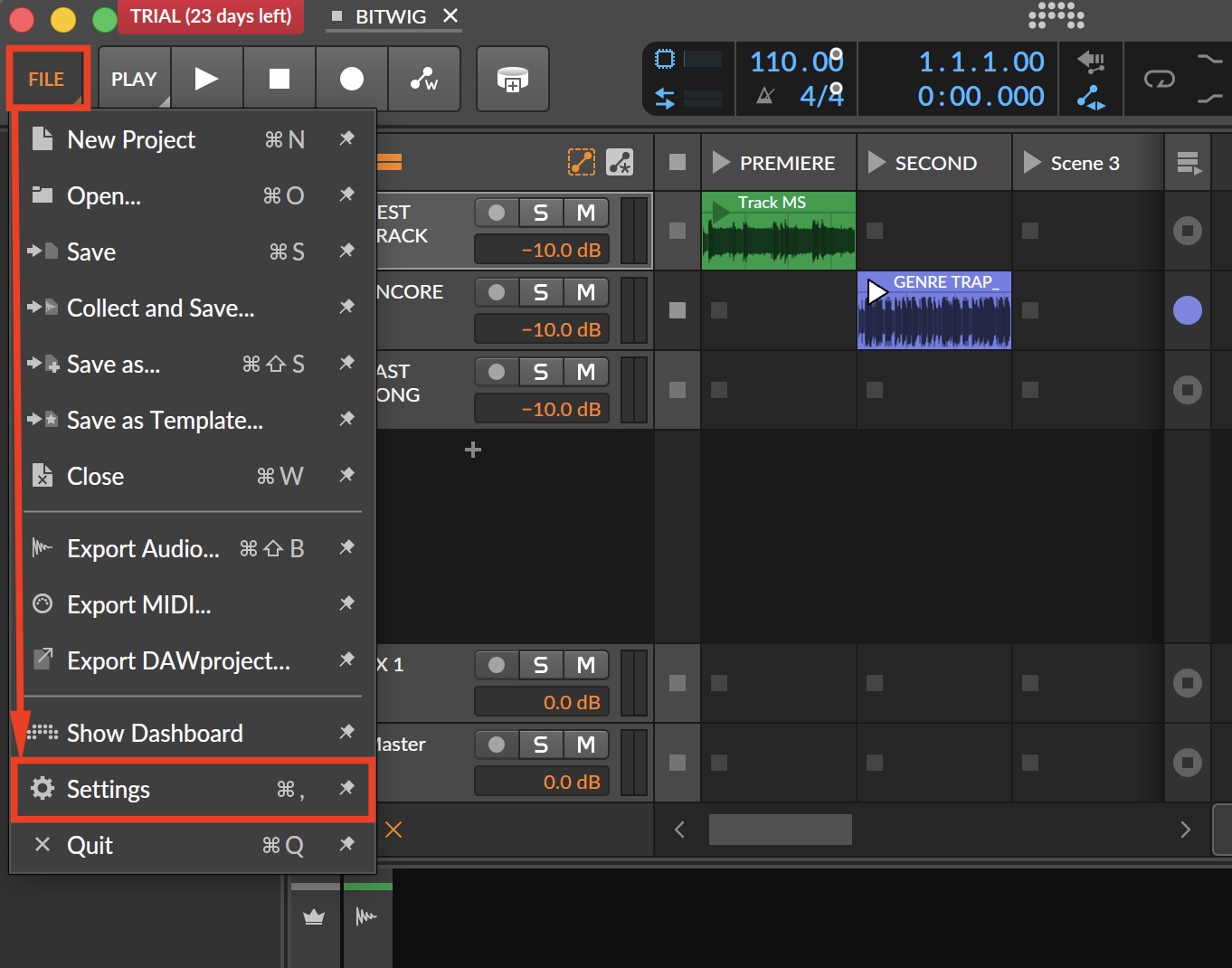
In File → Settings, select Controllers.
-
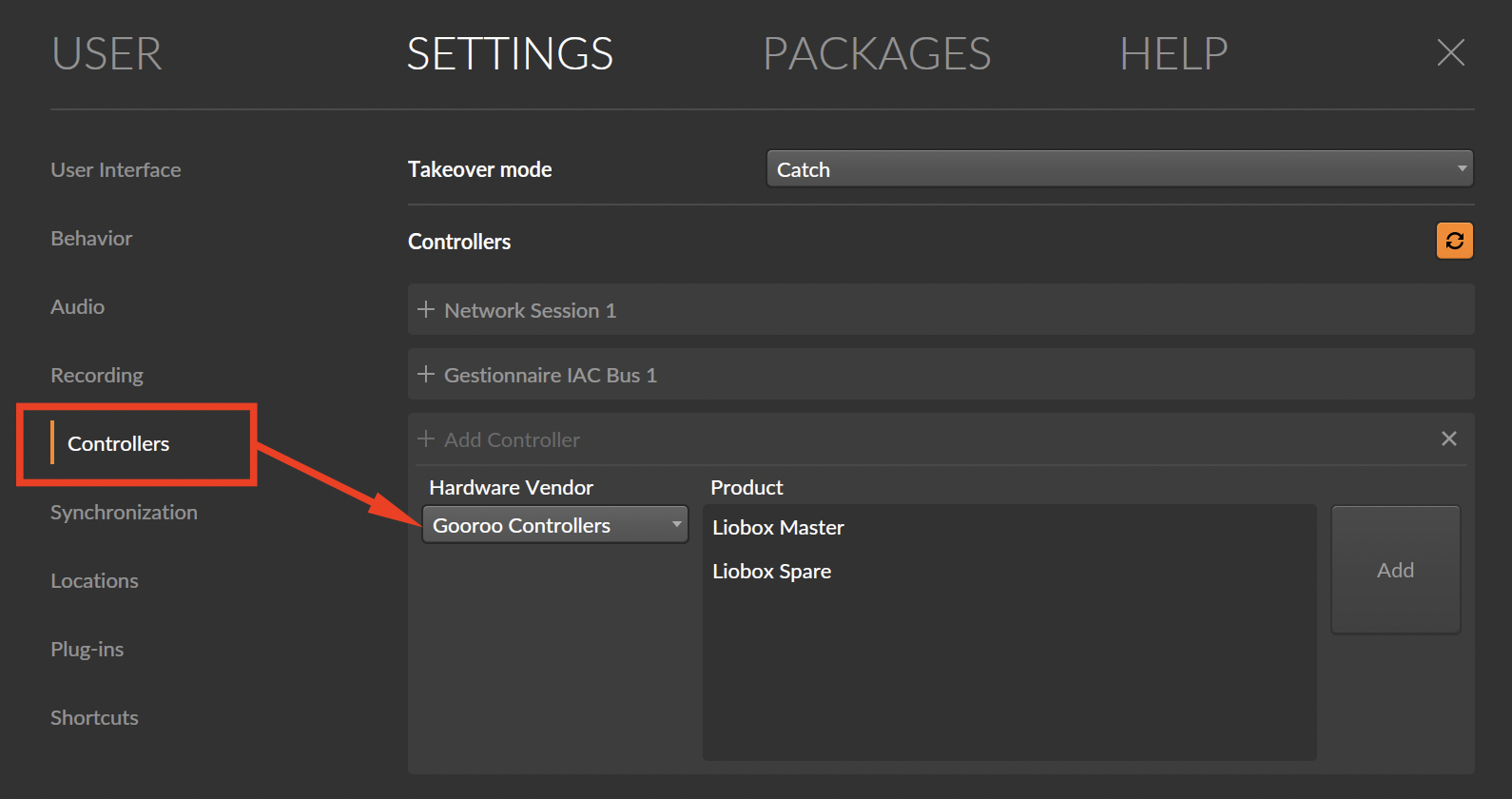
Select Add Controller, and look for Gooroo Controllers in the Hardware Vendor list.
-
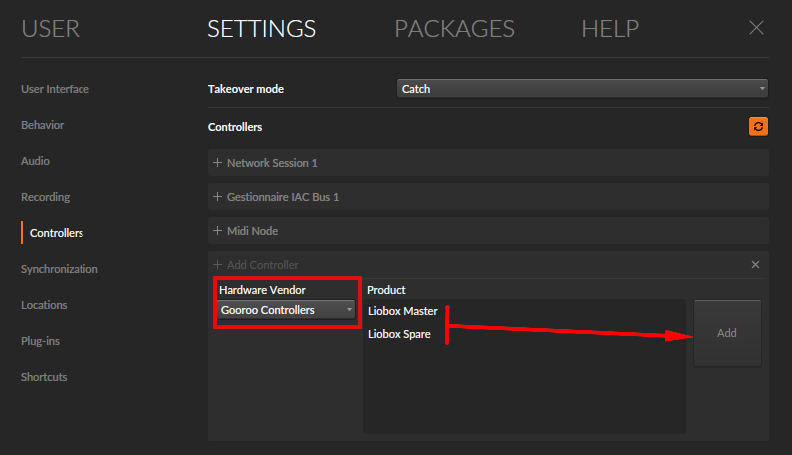
Choose whether the LIOBOX² takes the Master or Spare role and click Add.
-
Assign the extension MIDI IN and MIDI OUT to the LIOBOX² MIDI ports. Ensure it is enabled.
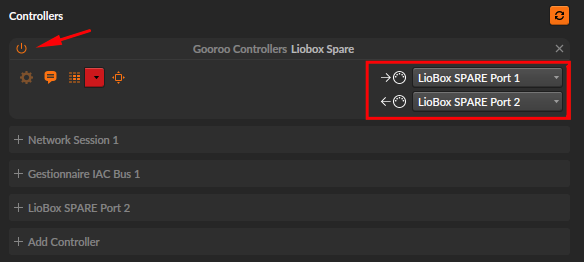
The extension works seamlessly in either Mix or Arrangement mode.
Script advanced features
Similarly to Ableton, the Gooroo Controllers LIOBOX Bitwig extension supports:
- Autonext
- Autostop
- Loop
Refer to the Ableton section describing these features.