DAW properties
The context section displays the properties of the selected DAW.
Pro Tools
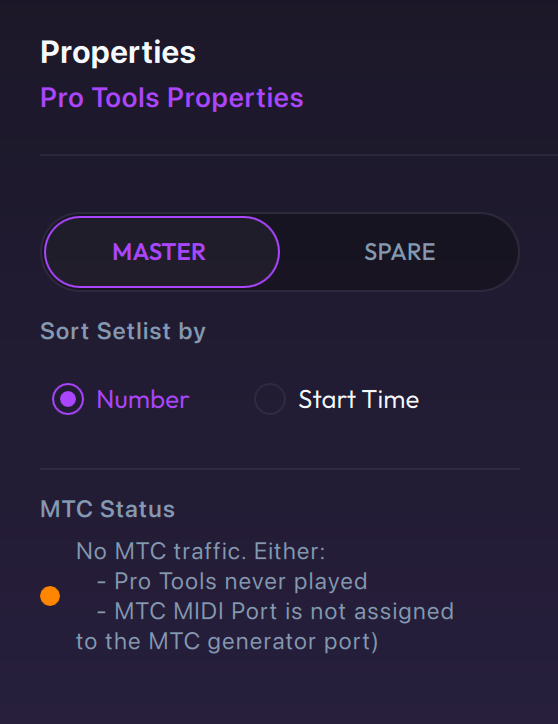
- Master / Spare: select to assign the connected LIOBOX² as Master or as a Spare. Prefer using the Spare assignment when actively using redundancy.
- Sort Setlist by (Number or Start Time): Pro Tools markers are created by index number. Nevertheless, markers can be freely moved, creating a discrepancy between their timecode position and their order.
- MTC Status indicator: Pro Tools requires the BRIDGE app MTC input port to be assigned to track the playhead position. This is an indicator that the MTC port is properly assigned.
Pro Tools only generates MTC when the playhead is moving. Therefore, both the settings must be done and the playhead must have played for MTC traffic to be detected.
Logic Pro
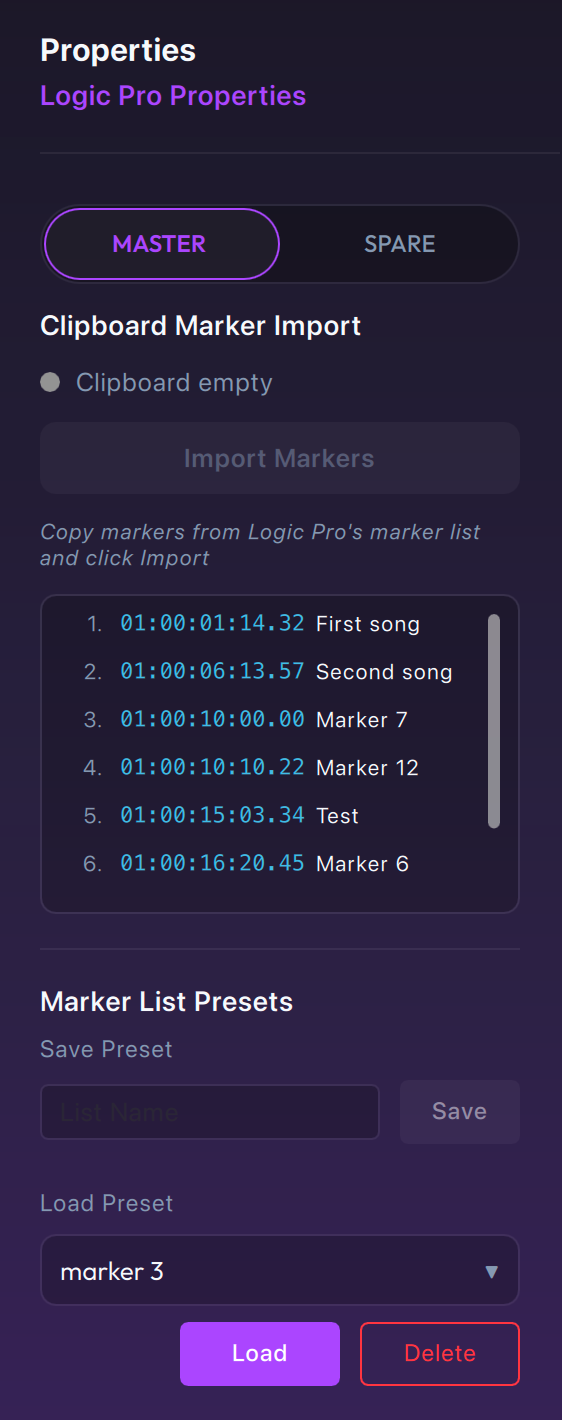
- Master / Spare: select to assign the connected LIOBOX² as Master or as a Spare. Prefer using the Spare assignment when actively using redundancy.
- Clipboard Marker Import: import the marker list from the clipboard. Requires you to copy the marker list from the Logic Pro Marker List. See Logic Pro: retrieve the marker list.
- Marker List: displays the imported marker list (from the clipboard or presets).
- Marker List Presets: up to 10 pre-imported marker lists can be saved to be reused from session to session.
- Save Preset: saves the imported marker list with the provided name.
- Load Preset: loads the selected preset into the imported marker list.
- Delete Preset: deletes the selected saved preset.
QLab
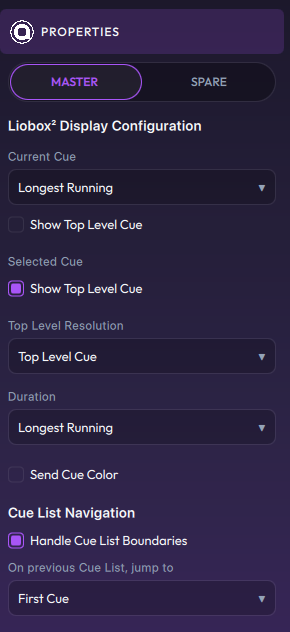
- Master / Spare: select to assign the connected LIOBOX² as Master or as a Spare. Prefer using the Spare assignment when actively using redundancy.
Selection of the information displayed on the LIOBOX² (LIOBOX² Display Configuration):
-
Current Cue: when multiple cues are Go'ed, it is necessary to select what information is displayed on the LIOBOX²:
- Longest running
- Latest fired
-
Selected Cue
-
Duration: the duration displayed as remaining/total duration. The selection applies as for Current Cue:
- Longest running
- Latest fired
-
Show Top Level Cue: QLab cues can have multiple levels. When Show Top Level Cue is selected, if the Current or Selected Cue is in a sub-level, the top-level cue name is provided.

-
Top Level Resolution: select between Top Level Cue and Cue List (when available).
-
Send Cue Color: allows displaying the cue colors on the LIOBOX² display.
-
Cue List Navigation: changes the effect of Next and Previous when used in a project using cue lists (Handle Cue List Boundaries and On previous Cue List, jump to).
See QLab mode on the LIOBOX².
Cubase
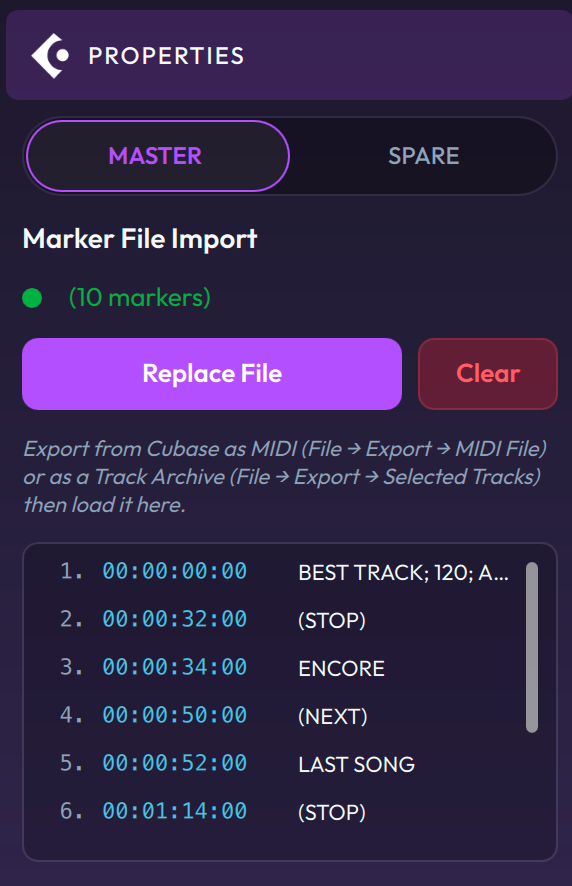
- Master / Spare: select to assign the connected LIOBOX² as Master or as a Spare. Prefer using the Spare assignment when actively using redundancy.
- Marker File Import: displays the loaded file and the number of markers read. If the file is not displayed but markers are loaded, the markers were loaded from a previous GoorooLink session (cached information).
- Replace File: loads a marker file, either from a Cubase-exported MIDI file (
.mid) or from a Cubase-exported Selected Tracks file (.xml). See Cubase: retrieve the marker list. - Clear: clears the marker list and the loaded file path.