Logic Pro: retrieve the marker list
Apple Logic Pro does not provide an API allowing marker list readout. This task is therefore left to the user. To simplify the export process, the BRIDGE app retrieves the information from the clipboard, so you only need to "Copy" the list of markers. The BRIDGE app does the rest.
If the marker list changes or if a marker position changes, this process must be redone.
Retrieve the marker list
-
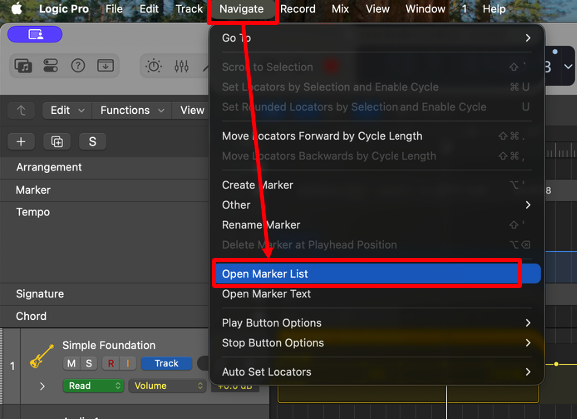
In the Navigate menu, select Open Marker List.
-
In View, select Show Event Position and Length as Time (or
Shift + Option + R).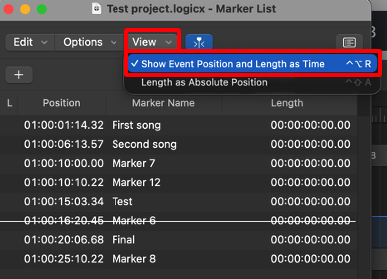
-
In Edit, select Select All (or
Command + A).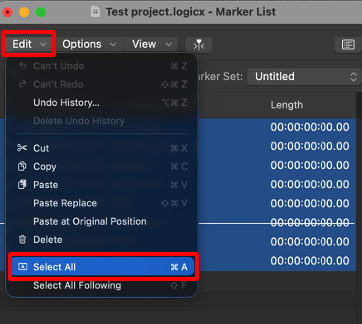
-
Copy the selection:
Command + C(or Edit → Copy). -
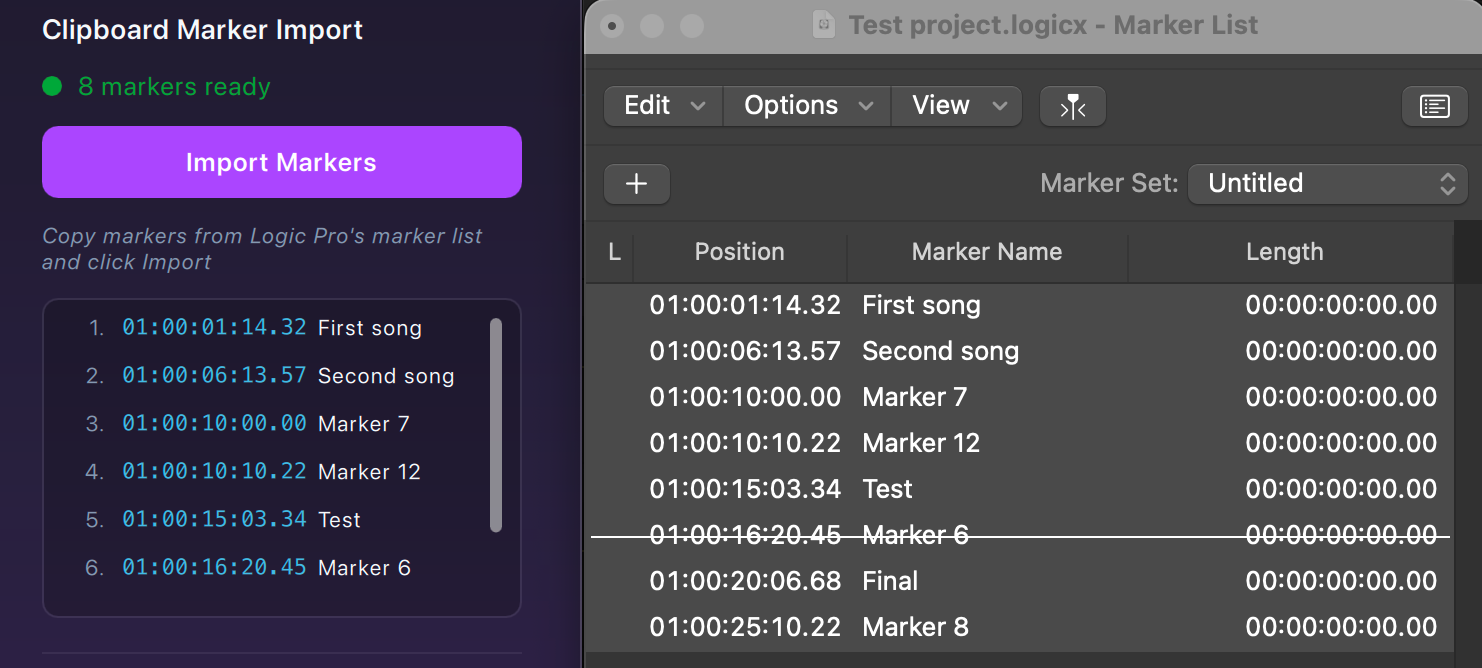
In the GoorooLink BRIDGE app Logic Pro Properties section, the marker list can be imported by clicking the Import Markers button.
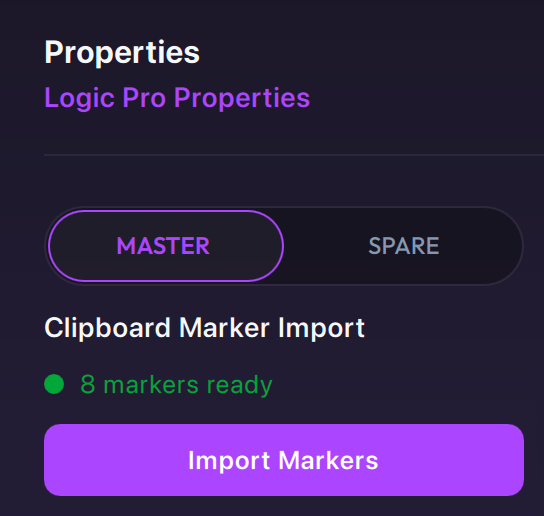
When importing, a popup appears requesting to assign "Position" and marker "Name" to columns. Use the drop-downs to assign the information to columns.
| Valid marker format | Invalid marker format |
|---|---|
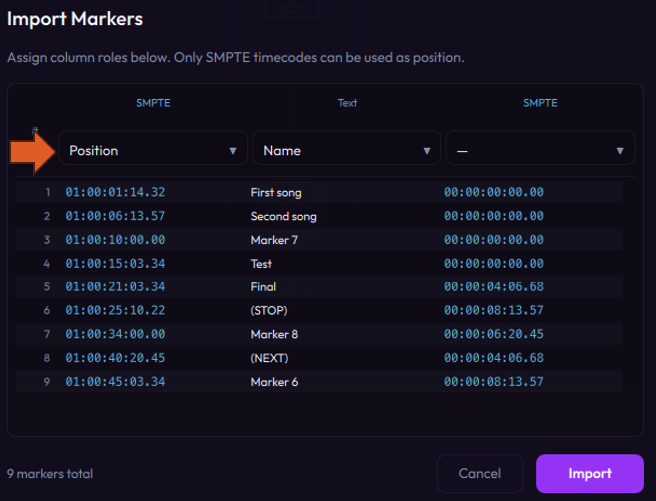 | 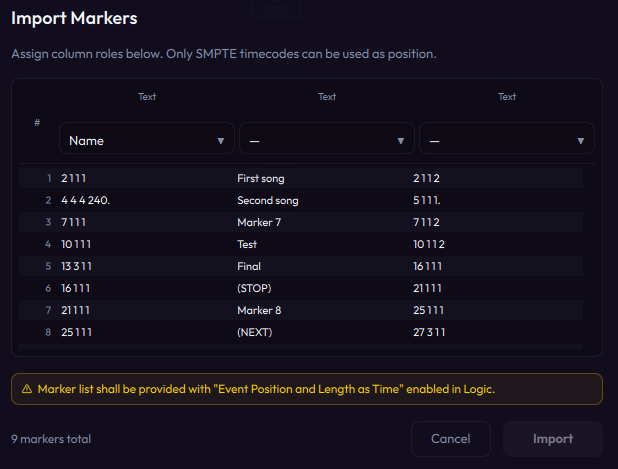 |
Only SMPTE timecodes can be used as position. The marker list must be provided with Show Event Position and Length as Time enabled in Logic Pro.
The marker list can now be used by the LIOBOX² and the BRIDGE app. The marker list can be matched between the BRIDGE app and the Logic Pro Marker List.
For the Logic Pro DAW configuration, see the LIOBOX² Logic Pro setup.