Cubase: retrieve the marker list
Cubase does not provide an API allowing marker list readout. This task is therefore left to the user. To simplify the export process, the BRIDGE app retrieves the information from an exported MIDI file, so you only need to provide this file to the BRIDGE app. The BRIDGE app does the rest.
If the marker list changes or if a marker position changes, this process must be redone.
Option A: export the Cubase MIDI file (.mid)
-
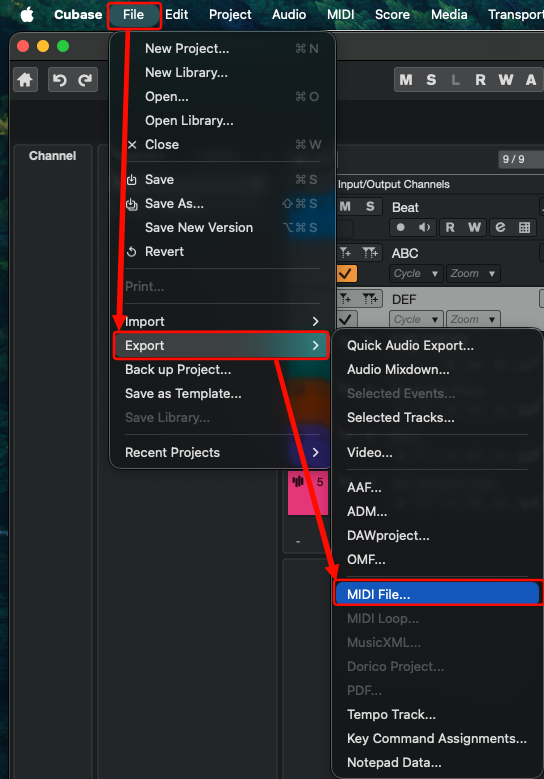
Export by going to Cubase File → Export → MIDI File…
-
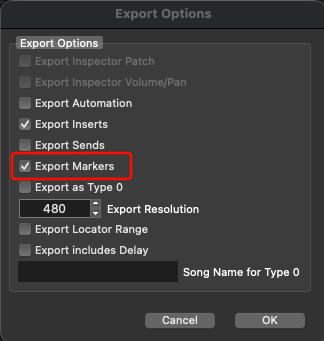
Ensure Export Markers is selected.
Option B: export the Cubase Selected Tracks file (.xml)
-
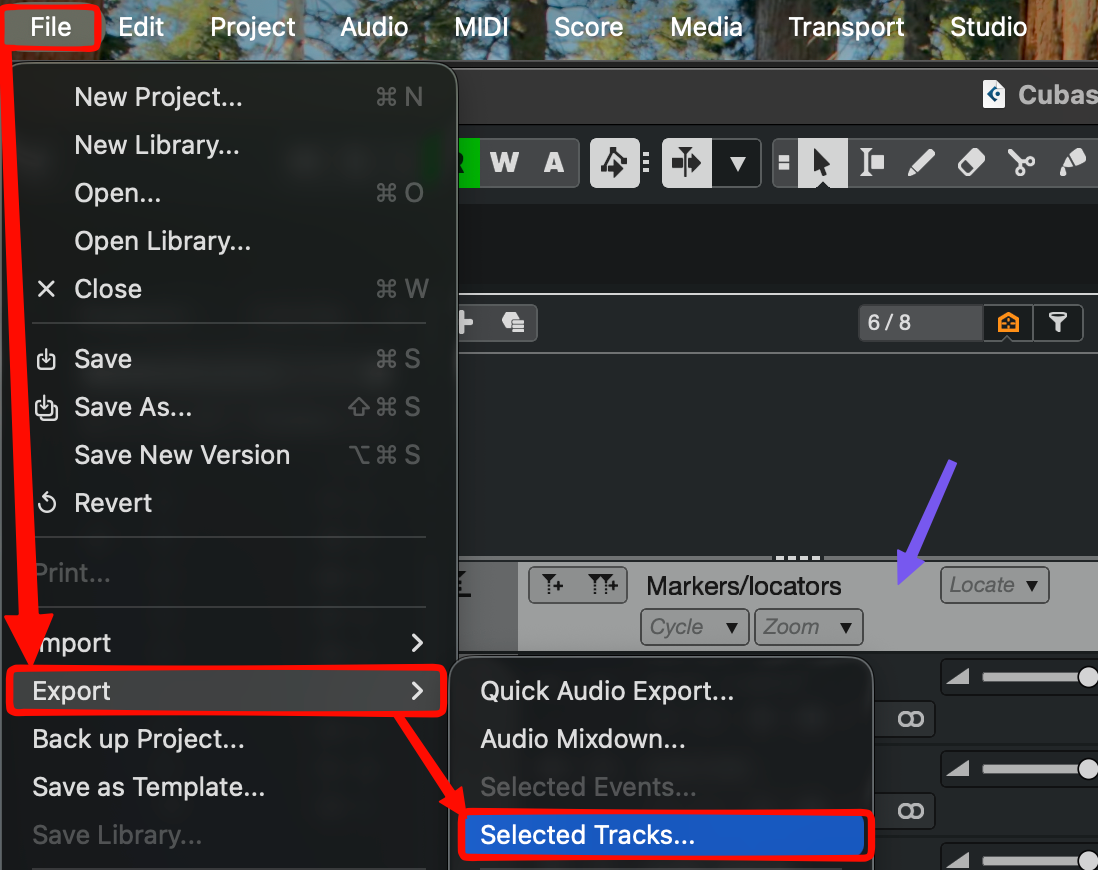
Select the marker track to export.
-
Export by going to Cubase File → Export → Selected Tracks…
Import the MIDI or XML file in GoorooLink
-
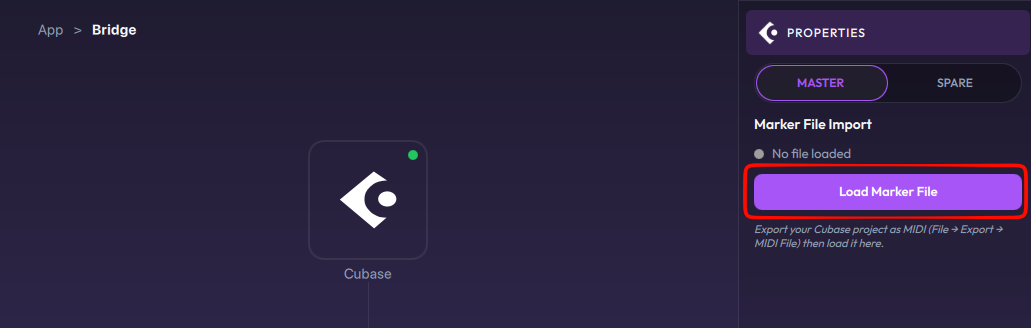
Load the exported marker file with Load Marker File:
-
The marker list is imported automatically and displayed. The LIOBOX² can now use this marker list.
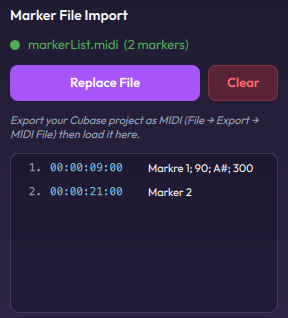
To replace the list later, use Replace File; to remove it, use Clear (see Cubase properties).
For the Cubase DAW configuration, see the LIOBOX² Cubase setup.